Documents & imports

Every file.
Exactly as received.

Paxo scans each upload, keeps the original unchanged and reads its text. Files land on the right job, client or unit, and your old system comes in through one import you review.

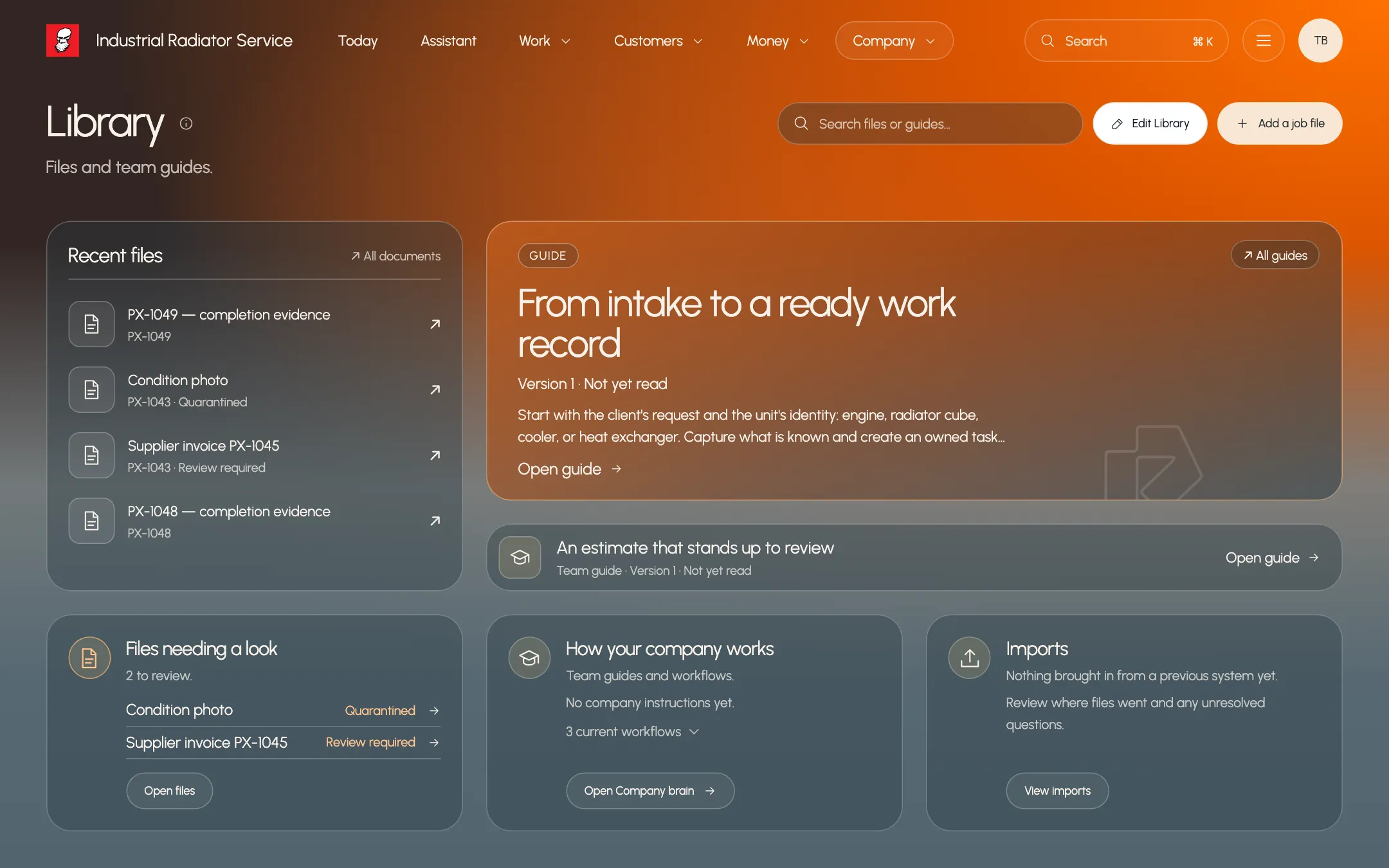
Paxo Library with recent job files, a team guide and files flagged for review, using example records
Product preview · example recordsFiles and team guides in one library

Originals never change

Every file is security scanned and stored as received. You can always save the exact original.

Text you can search

Paxo reads PDFs and scans, so you can find a file by the words inside it.

One reviewed import

Bring folders, ZIPs and spreadsheets from your old system. Nothing is added until you approve.

Document record

The original, its text and what it means

Open a file to see the original beside its extracted text. Paxo reads the document kind, job numbers, supplier, total and serial numbers, and shows the line each one came from.
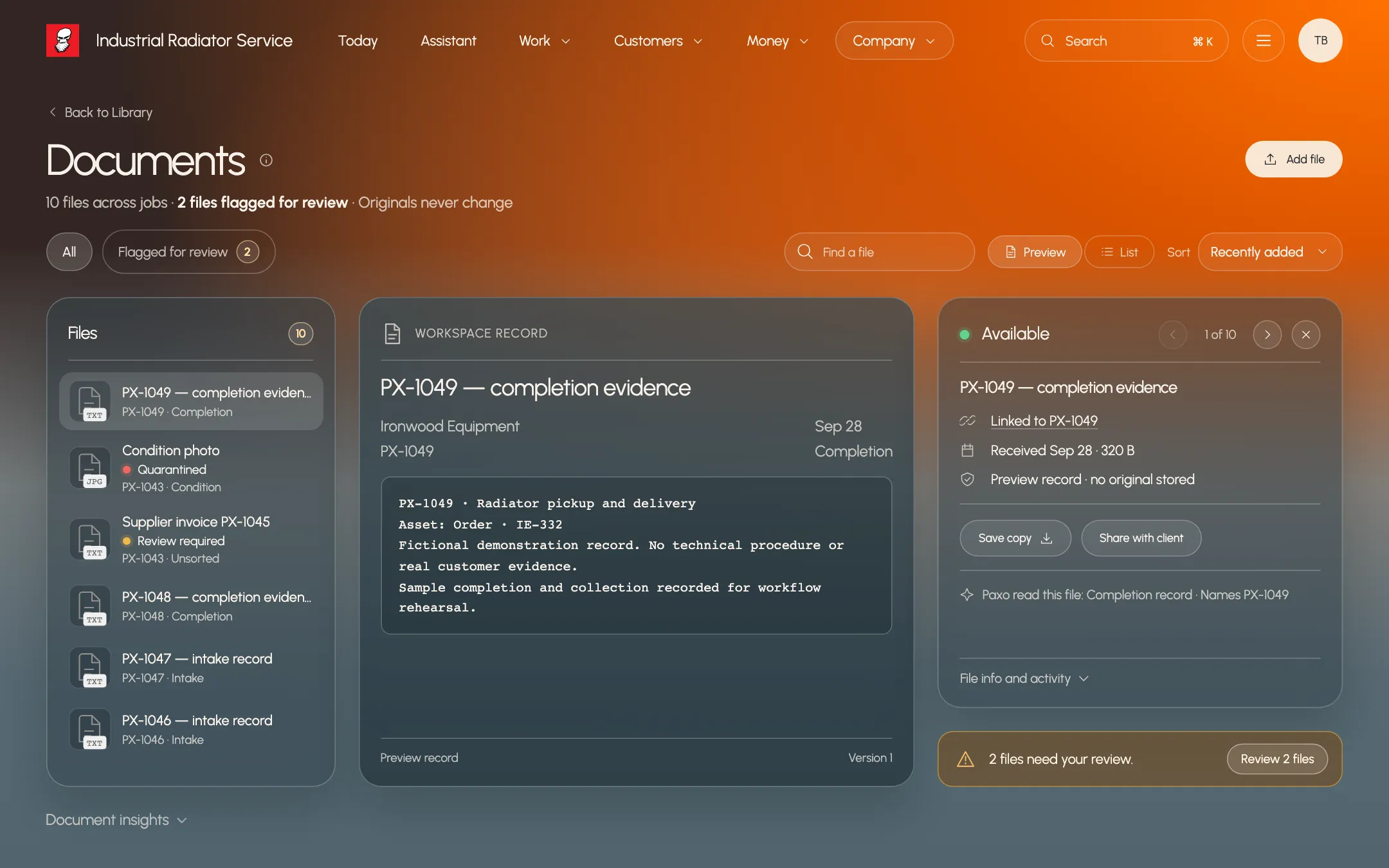
  • Original preview beside the extracted text
  • Suggested job, with Move or Keep
  • Add a supplier invoice as a job cost
Paxo document record for PX-1049 completion evidence with its text and linked job, using example records
Product preview · example recordsPaxo reads each file and links it to the job

Business import

Bring your old system in, then review it

Drop in folders, ZIP exports, spreadsheets, PDFs and photos. Paxo reads them, matches clients, sites, units and jobs, and builds one plan. You answer the open questions and approve before anything is added.
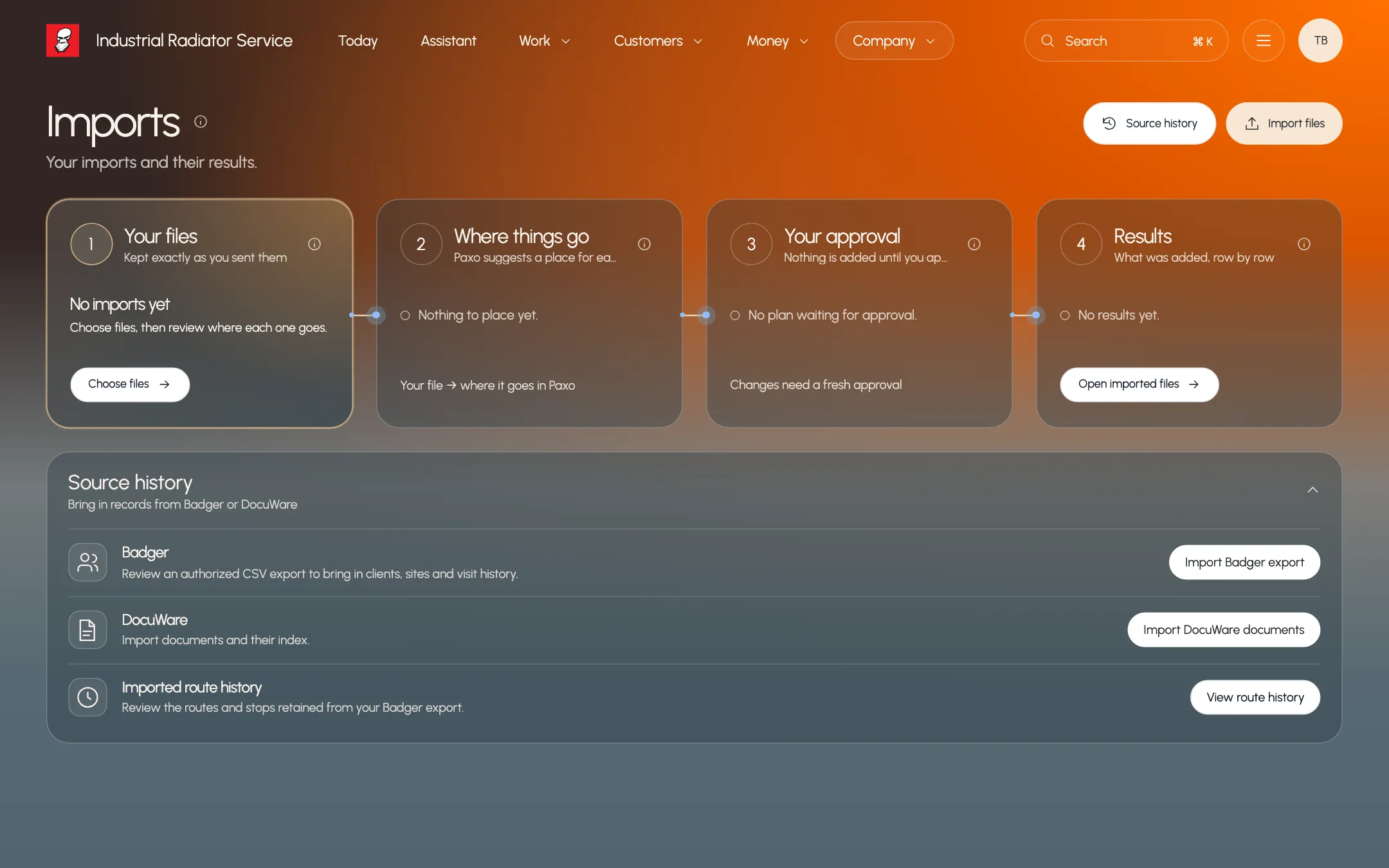
  • Clients, units, jobs and history matched for you
  • Real decisions first, notices tucked away
  • Undo removes added records you have not changed
Paxo Imports page showing the steps from your files to approved results, using example records
Product preview · example recordsBring records in. Review before anything is added.

Who it helps

Built around the people doing the work.

Owner

Move off the old system in one pass

Hand Paxo the export from your previous system. Review the plan once, approve it and start from a populated workspace.

Office manager

Stop re-filing paperwork

Paxo suggests the job a file belongs on from its text, and you confirm with Move or Keep.

Field technician

Find a past report fast

Search by serial number or part name and open the original on the job you are working on.

What stays in your control

Clear rules, written down.

  • Files are scanned before release. A held or failed file is never shown or read.
  • Originals are stored unchanged. Readings and corrections are kept separately with their source.
  • An import adds nothing until the owner approves its plan, and it never merges two existing clients.
  • Filing suggestions point to the source line. You decide where each file goes.

Same work. A clearer tomorrow.

See it with
your own work.