Answers you can check
Each answer links to the jobs, estimates or files it used. Open any source in one click.


Ask Paxo
Ask about a job, a client or a file in plain words. Paxo answers from the records you are allowed to see, shows where each answer came from and prepares changes for approval.
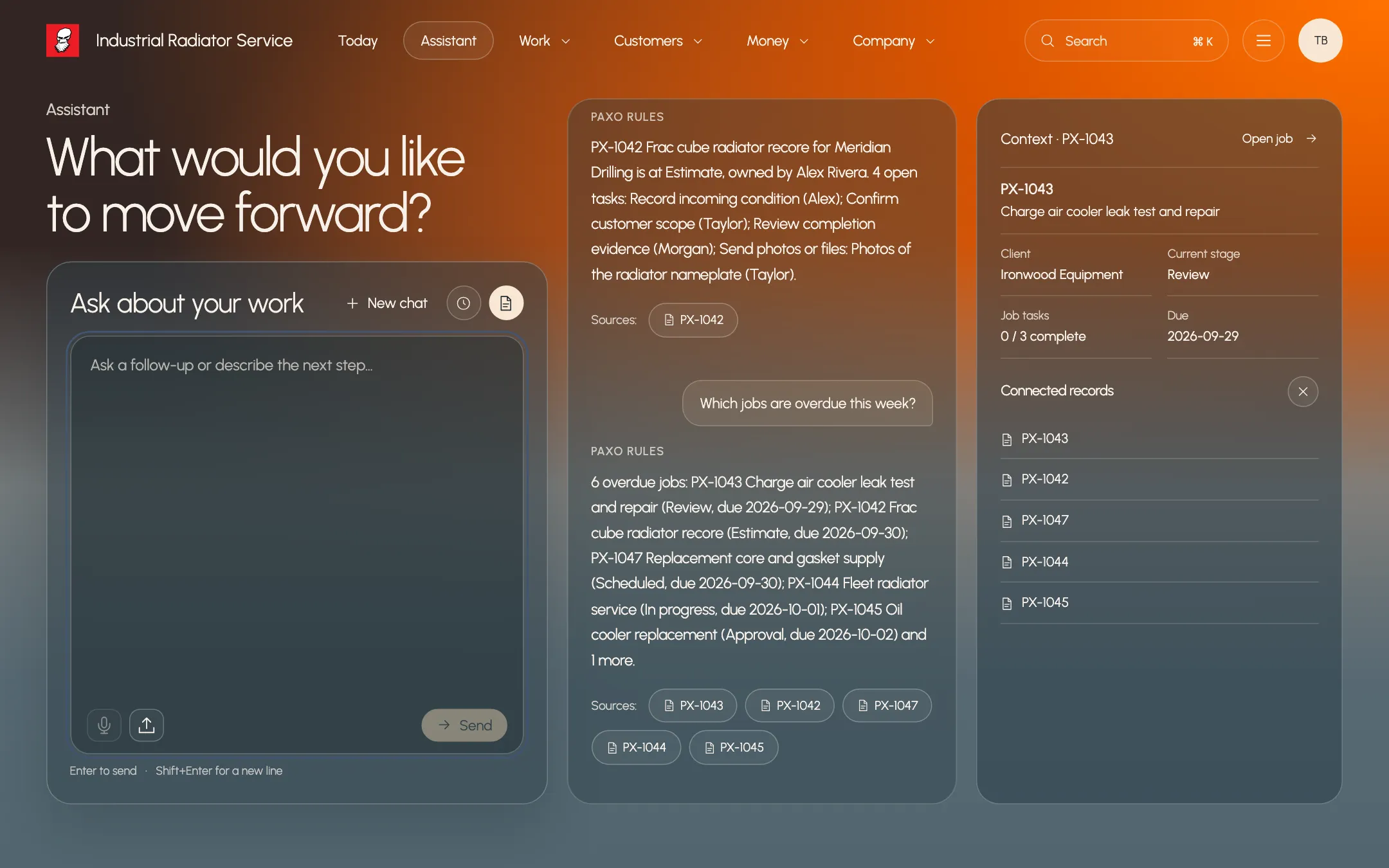
Each answer links to the jobs, estimates or files it used. Open any source in one click.
Paxo reads only the records the person asking is allowed to see.
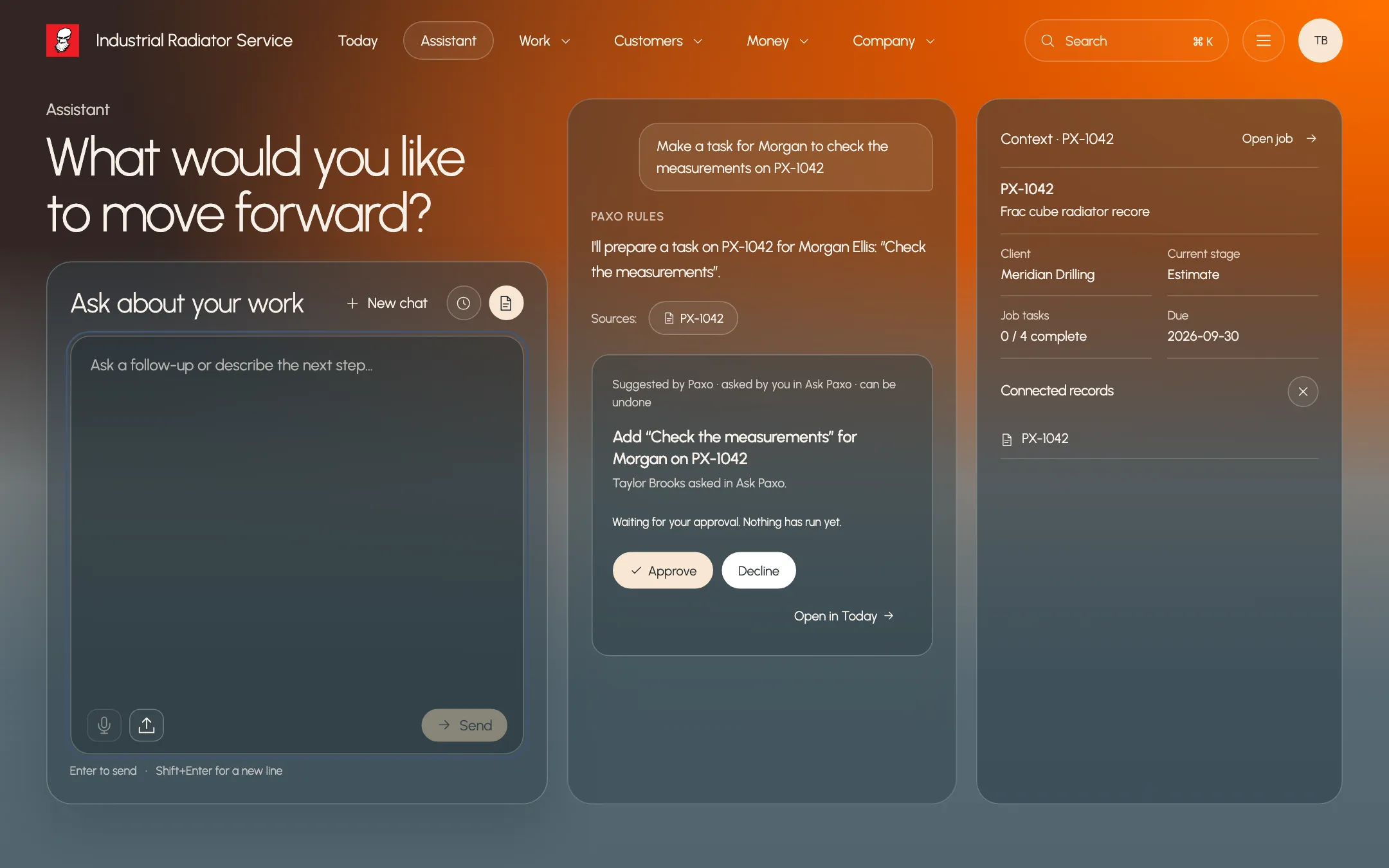
When Paxo suggests a task, booking or estimate draft, nothing changes until it is approved.
Review before it happens
Paxo can turn a question into a proposed task, booking, job or estimate draft. You see the exact change, who it affects and the sources behind it, then approve or decline. A declined idea is not proposed again for that record.
Today
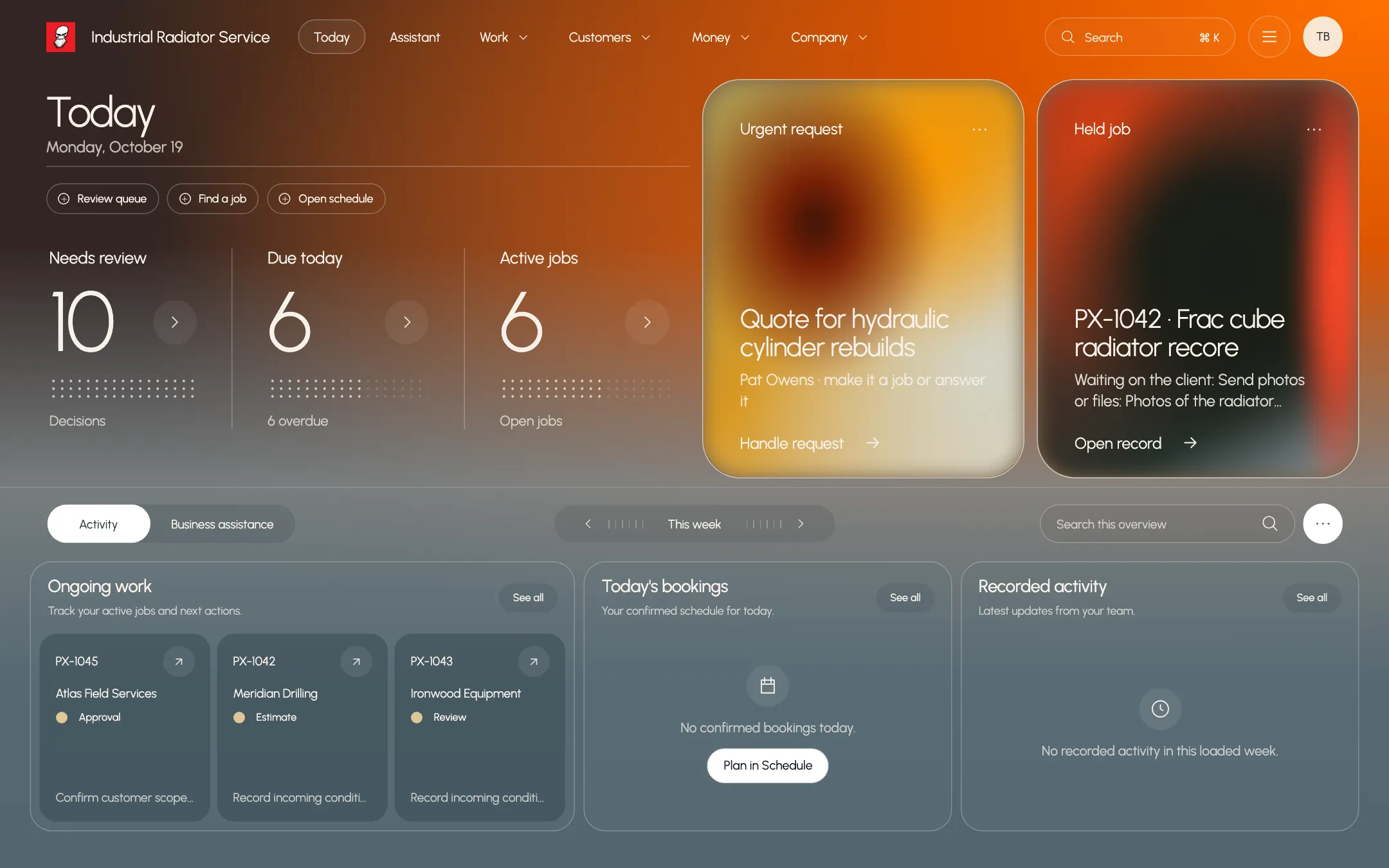
Today gathers the decisions waiting on you, work waiting on others and new requests. Paxo prepares routine items, such as a job draft from a new request, and each one shows who or what prepared it.
Who it helps
Owner
Ask what is overdue, what a client agreed to or what a document says, then open the record behind the answer.
Office manager
Ask Paxo to plan follow-up steps for a job. Review the proposed tasks and assignees, then approve them in one place.
Field technician
In Paxo Business, ask about the job you are on and get an answer with its sources.
What stays in your control
Same work. A clearer tomorrow.