For your team

The work.
Wherever it happens.

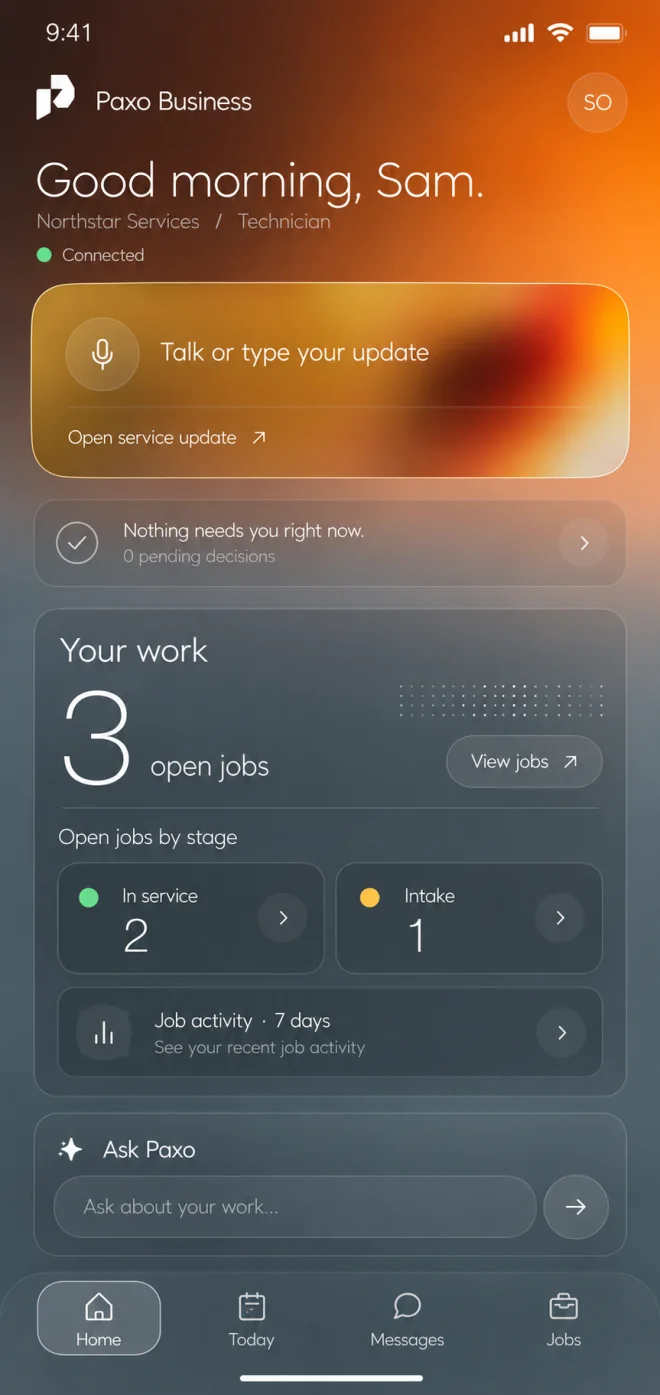
Paxo Business is the phone app for owners, managers and technicians. It uses the same records and permissions as the desktop, so an update from the field reaches the office.

Paxo Business home with example records: talk-or-type update, the next decision and open jobs by stage.
Product preview · example recordsBusiness home

One set of permissions

Each person sees on the phone exactly what their role allows on the desktop.

Talk or type the update

Speak a service note, review the draft and save it to the job.

Keeps working on bad signal

Notes and step updates are kept on the phone and sent when the signal returns.

Today

Decisions that need you, ready to review

Today shows what needs you, what is waiting on others and what is done. Open a decision to see the exact change, why it was prepared and what happens next, then approve or decline with a reason.
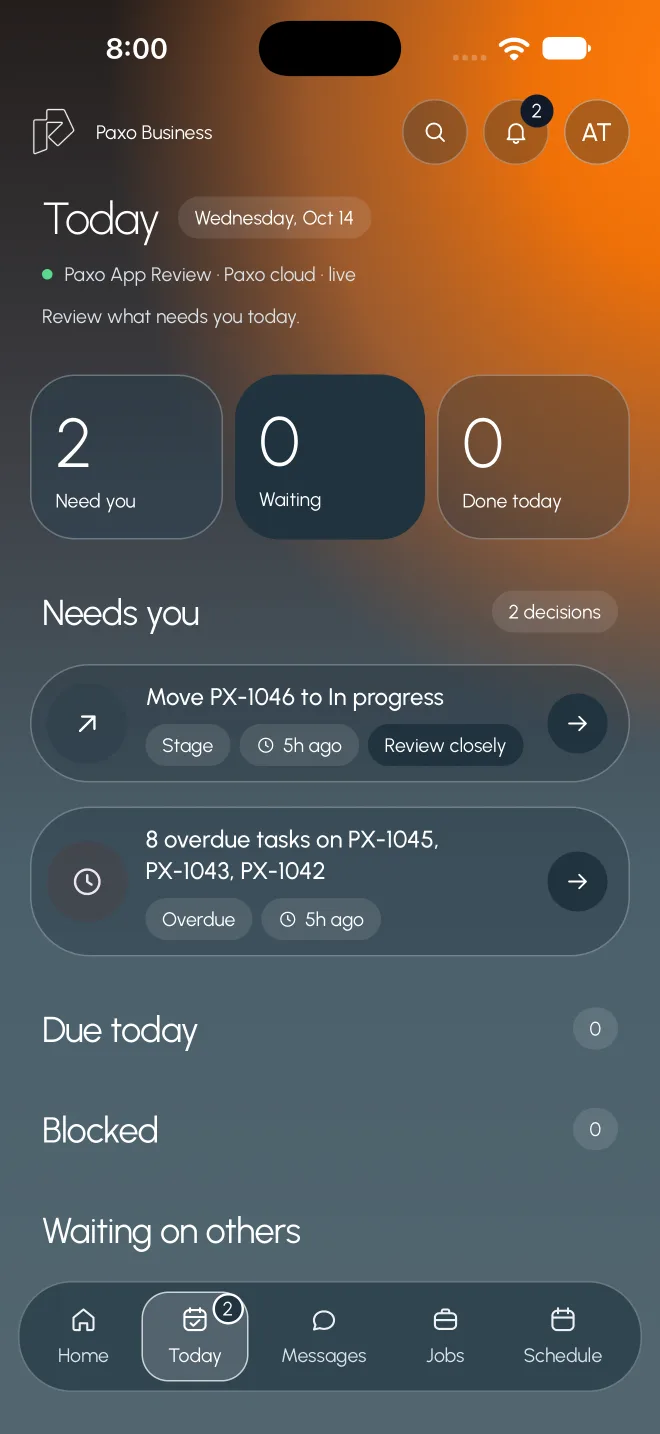
  • Need you, waiting and done today at a glance
  • The exact change and its consequence
  • Approve with a slide, or decline with a reason
Paxo Business Today with example records: two decisions need review, with due, blocked and waiting lists.
Product preview · example recordsToday: what needs you

On the job

Update the job from where you stand

Open a job to talk or type a service update, follow its progress through each stage and move it forward when its steps are done. Ask Paxo about the job without leaving the page.
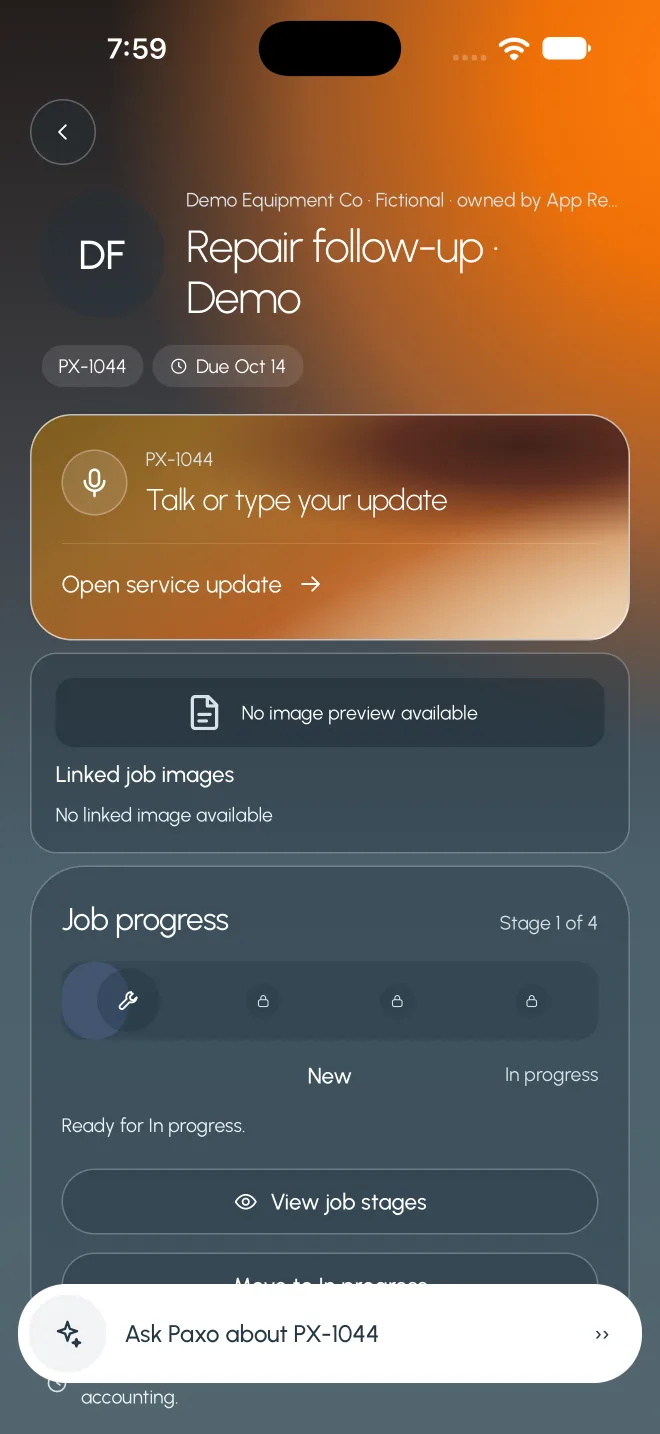
  • Voice or typed service updates, reviewed first
  • Stage progress with a reviewed move forward
  • Photos and files linked to the job
A fictional job in Paxo Business with example data: service update entry, stage progress and Ask Paxo.
Product preview · example recordsJob detail with progress and service update

Team messages

Team threads that stay with the work

Message your team in channels, direct messages and job threads. Client threads always say who can see them, and Draft with Paxo prepares a reply you edit before sending.
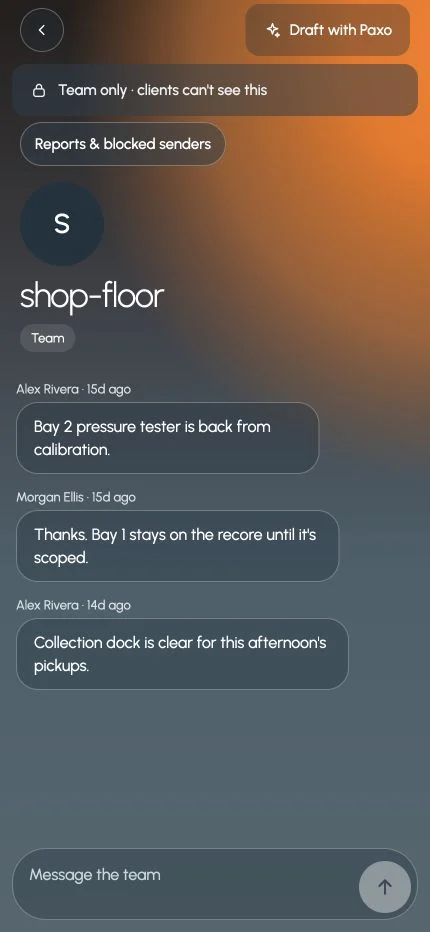
  • Team-only threads clearly marked
  • Draft with Paxo, then edit and send
  • Report or block a sender from a message
Paxo Business team thread with example messages, marked team only, with a Draft with Paxo button.
Product preview · example recordsTeam-only thread

Ask Paxo

Ask a question, get the source

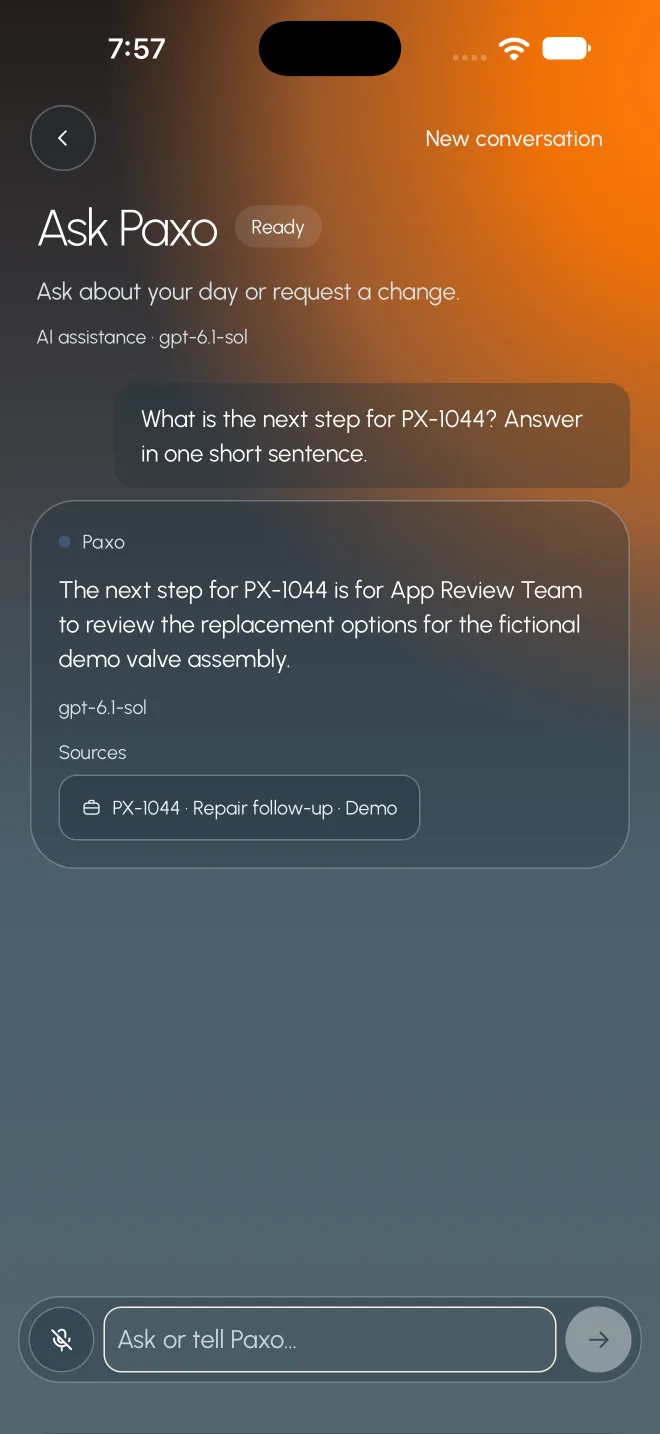
Ask about your day or a job in plain words. Paxo answers from the records you can see and lists its sources. A requested change comes back as a proposal you confirm.
  • Answers cite the job or record used
  • Continue your last conversation
  • Changes wait for your confirmation
Paxo Business Ask Paxo with example records: an answer about a fictional job, with the job listed as a source.
Product preview · example recordsAsk Paxo with sources

Who it helps

Built around the people doing the work.

Field technician

Record the work at the unit

Confirm the unit, speak or type what you found, add photos and save it to the job before you move on.

Service manager

Approve from the shop floor

Review a decision on the phone with the exact change and its version, then approve or decline.

Owner

Check the day from anywhere

See open jobs by stage, what needs you and the latest messages without opening a laptop.

What stays in your control

Clear rules, written down.

  • App previews with example data. Mobile availability is being prepared.
  • The phone uses the same server permissions as the desktop. It has no separate access rules.
  • Money changes, sign-offs and anything client-facing need a connection. Paxo says why.
  • Signing out or losing access clears that session's saved data from the phone.

Same work. A clearer tomorrow.

See it with
your own work.